Timely, always running late? Get Timely
Always running late? Get Timely
Timely puts countdowns on your Lock Screen and in the Dynamic Island so you can stay on top of time and what’s next.Timely puts countdowns on your Lock Screen and in the Dynamic Island. Add events from your calendar in three taps, with travel time automatically calculated when you need it. Stay on top of time and what’s next.
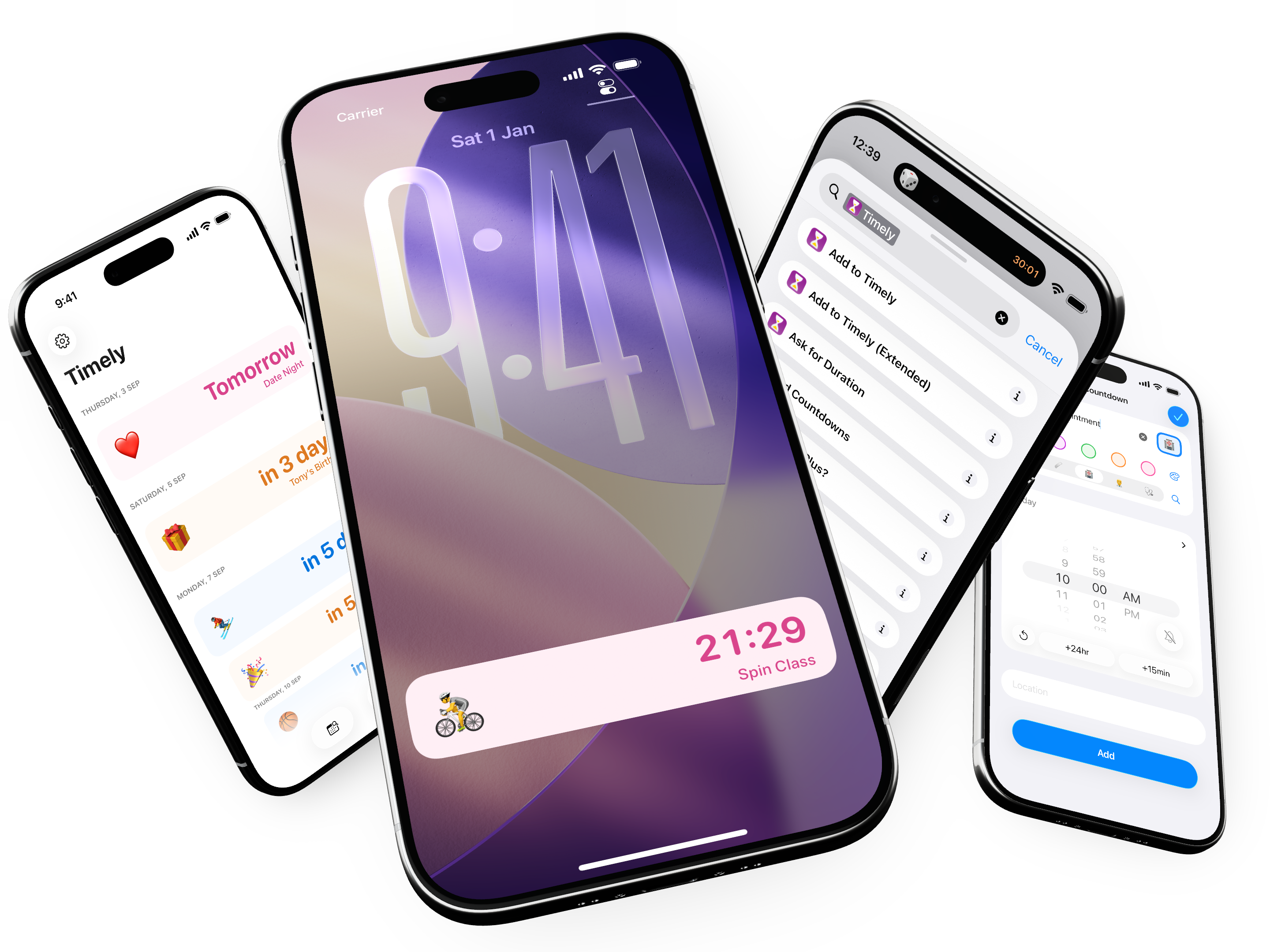

Time remaining, at a glance.
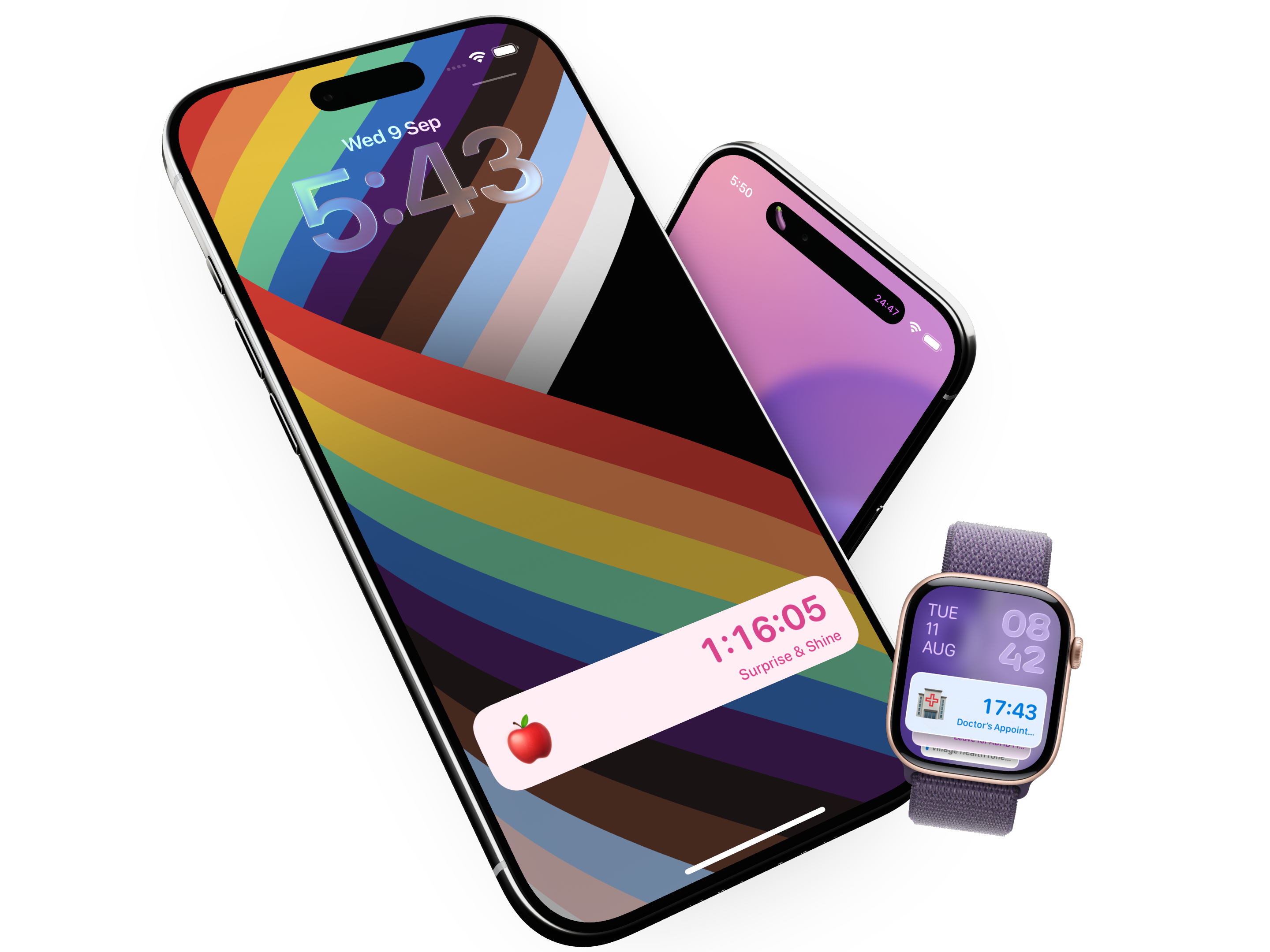
Powered by Live Activities, Timely shows countdowns on your Lock Screen, in the Dynamic Island, on Apple Watch and Mac. You can see exactly how much time you have left without opening the app, or even unlocking your phone.
What’s next? It’s already in your calendar.
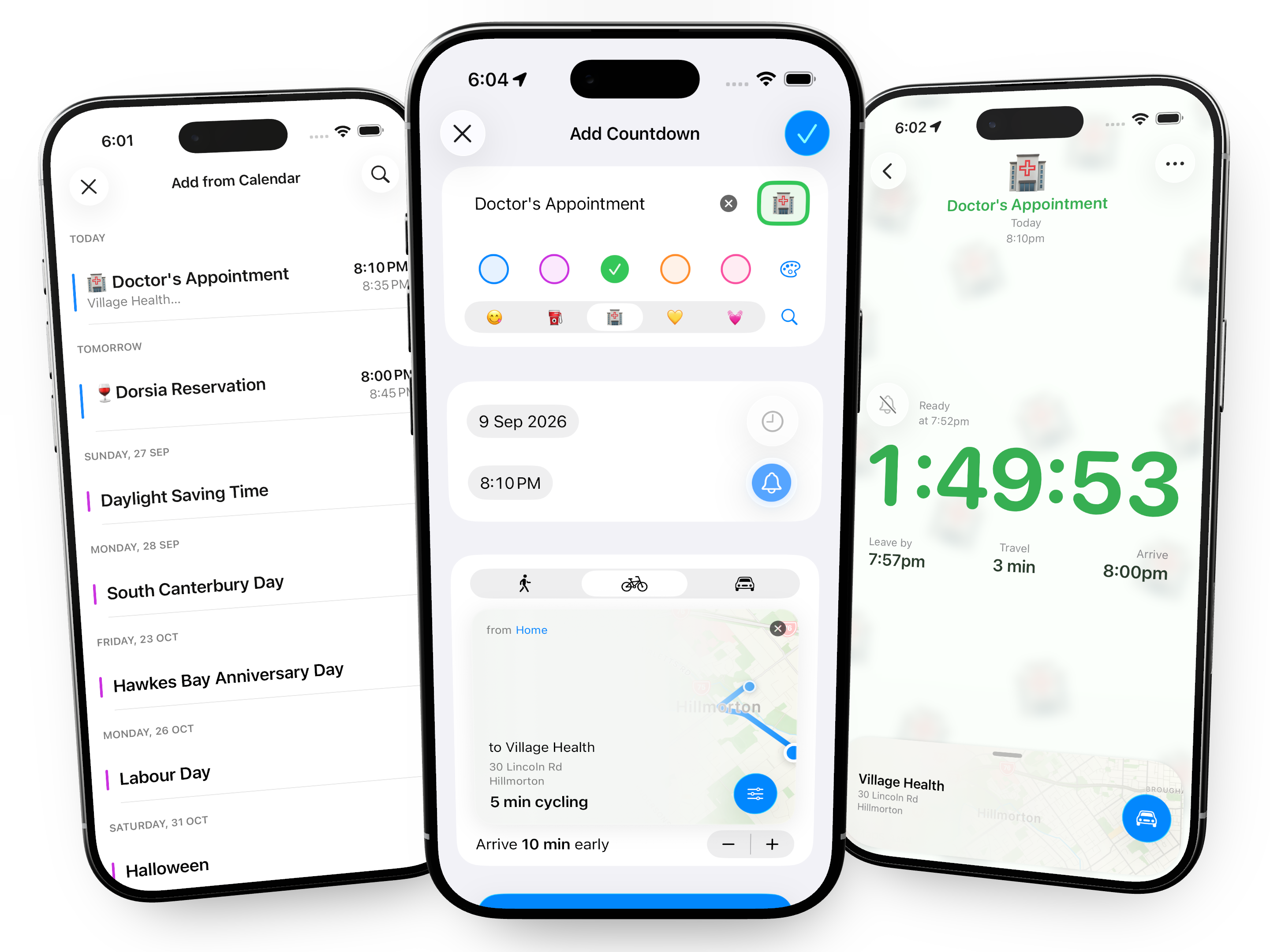
Timely shows your upcoming calendar events, select one to bring the title, time and location directly into the editor, one more tap and your countdown is ready.
Know when to go.
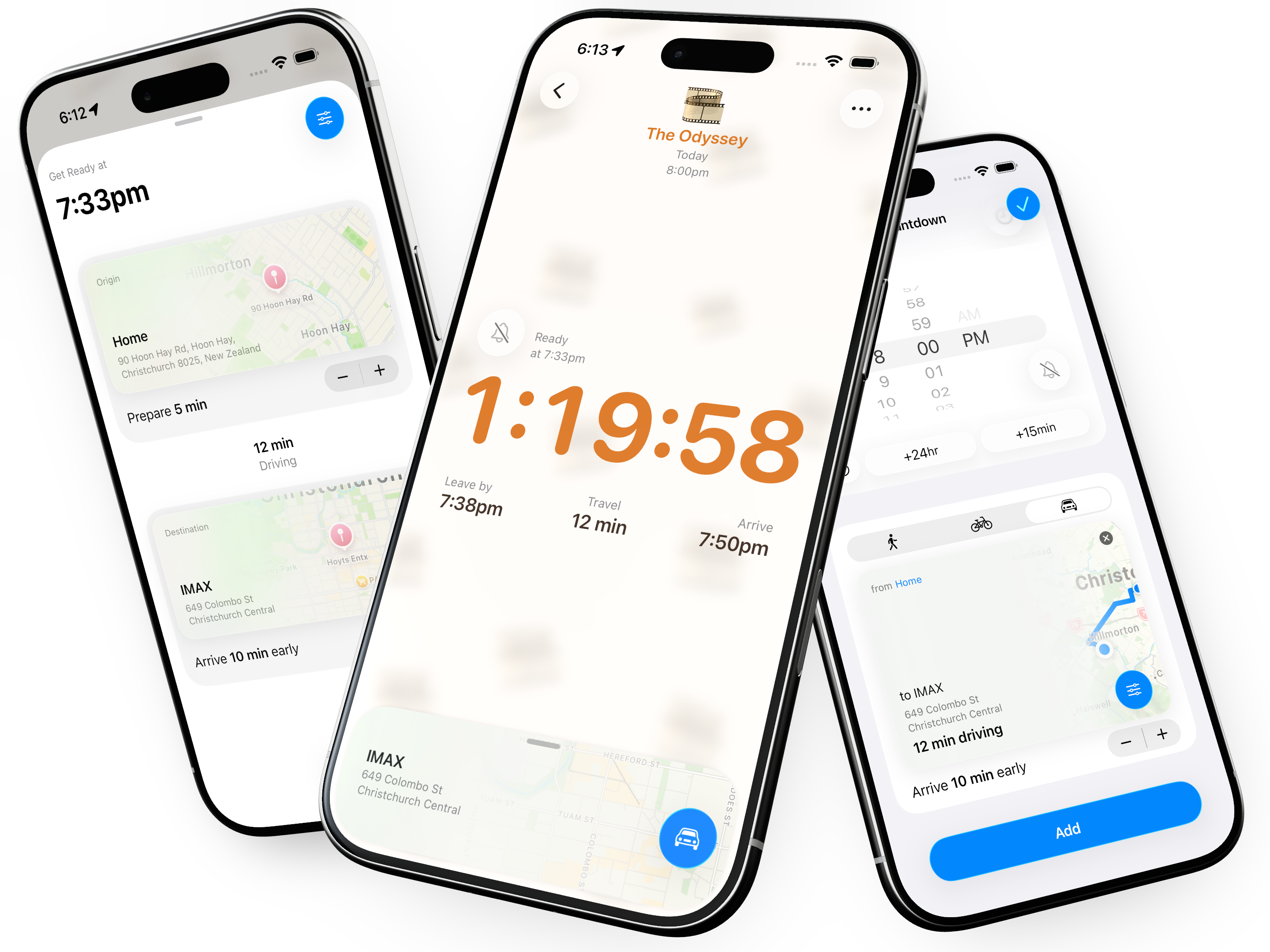
When you add a location to your countdown, Timely calculates how long it will take to get there and adjusts your countdown so you know exactly when it’s time to leave, accounting for the time of day and expected traffic. And when it’s time to go, start turn-by-turn navigation with a single tap.
Timely 🤝 Shortcuts
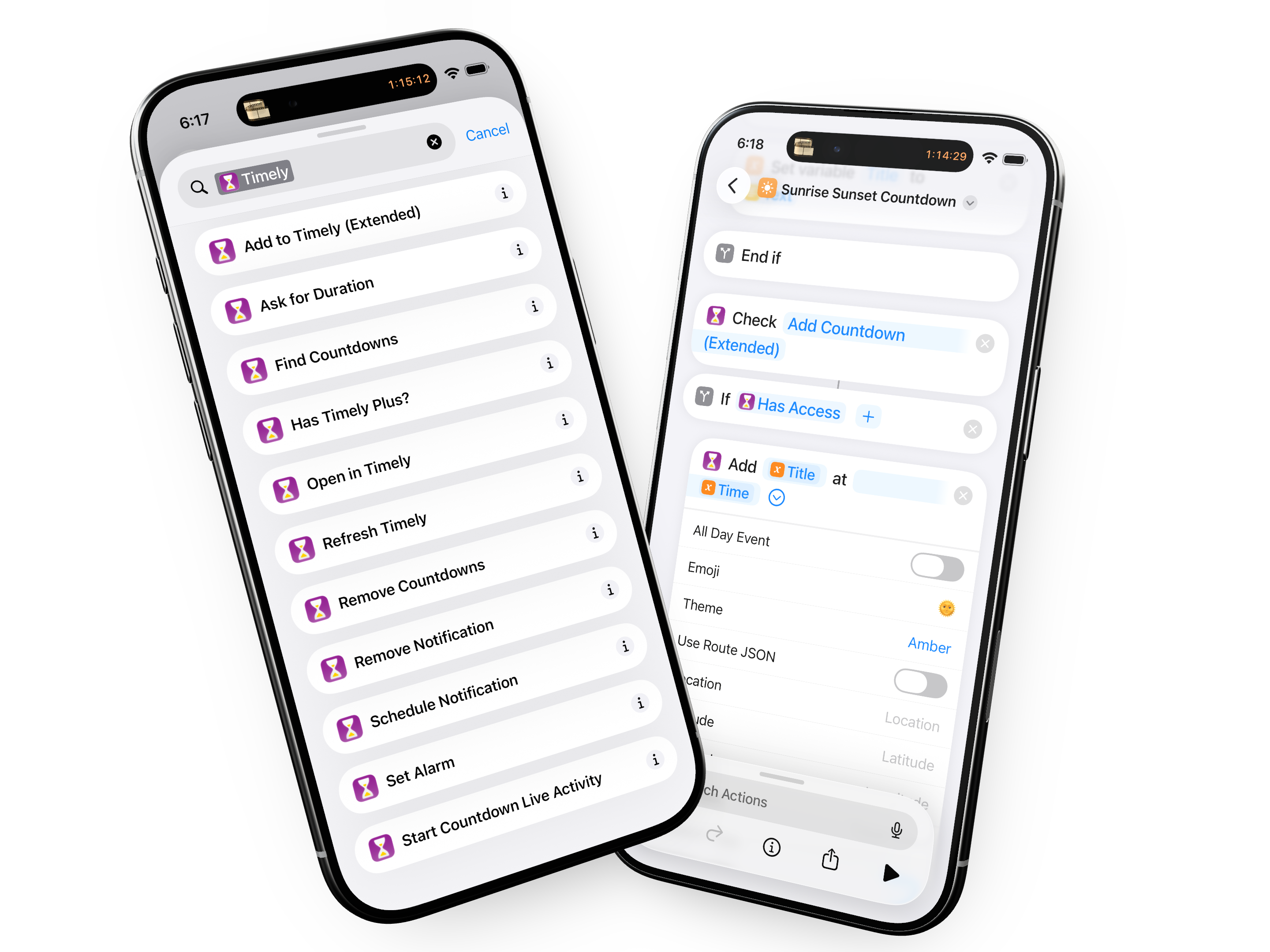
From day one, Timely has been designed to be automated. With powerful Shortcuts actions, almost everything you can do in the app, you can automate too. Create, delete, find, set and so much more.